
Freelancers & 1099 contractors
Invoices land on their own schedule. Log each payment, set a tax percentage aside automatically, and pay yourself a steady amount from the buffer.
Excel spreadsheet · Instant download
When your income jumps around, a regular monthly budget falls apart. This workbook helps you park every payout in a buffer, set taxes aside, and pay yourself the same amount each month — so rent and groceries don’t have to wait on a good week.
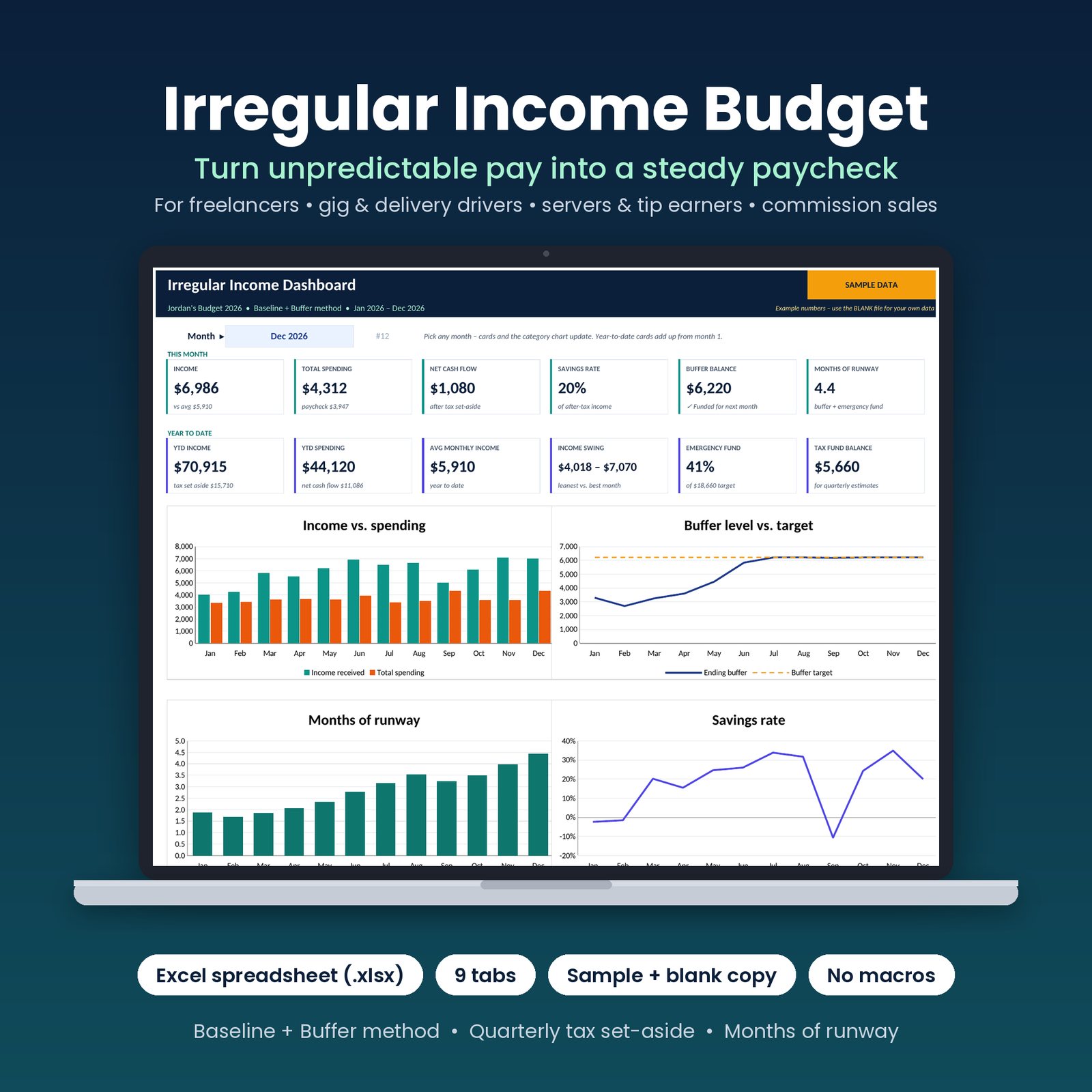
If your deposits change with jobs, tips, or gigs, this spreadsheet is for you. It does not assume a fixed salary.
Invoices land on their own schedule. Log each payment, set a tax percentage aside automatically, and pay yourself a steady amount from the buffer.
Uber, Lyft, DoorDash, Instacart, or a mix of apps. Record every payout — as many as you have in a month — and watch a calmer monthly paycheck take shape.
Tip-outs and quiet shifts make weekly totals hard to plan around. The buffer absorbs slow weeks so your regular bills stay on one number.
A strong month shouldn’t disappear into a thin one. Hold commissions in the buffer, pay yourself a baseline, and sweep the surplus to savings.
Regular budgets assume a paycheck you don’t have. This one helps you build that paycheck yourself.
Your baseline is the bare-bones cost of a month — rent, food, insurance, minimum payments. That number sizes your buffer: a holding account where every payout, tip-out, and invoice lands first, before you spend it.
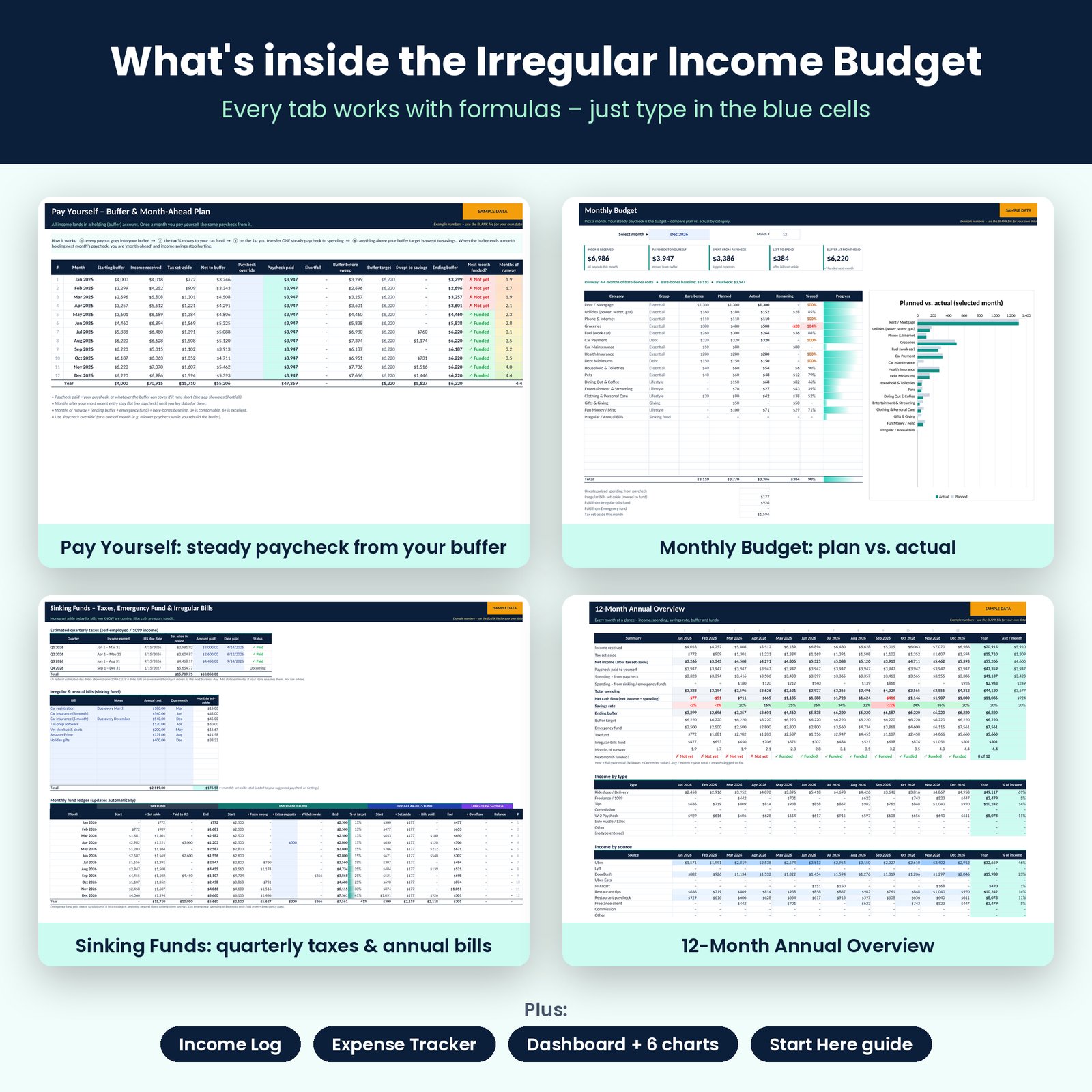
Enter each payout as it arrives, any number per month. For 1099 income, a tax percentage moves to a tax fund so quarterly estimates are already waiting. W-2 paychecks are skipped automatically. Annual bills (insurance, registration, gifts) get a sinking-fund line so they are not a surprise.
Once a month, you transfer one paycheck from the buffer to spending. Good weeks fill the buffer; slow weeks are absorbed by it. Anything above your buffer target is swept to savings. “Months of runway” shows how long the buffer and emergency fund would last at your baseline.
Nine tabs, formulas already built. You type in the light-blue cells. Everything else calculates.
A one-time purchase. After checkout, the files are available as an instant download.
This is a planning tool only — not tax, legal, or financial advice.
These are separate workbooks you can add if you want to. They are not required to use the Irregular Income Budget.
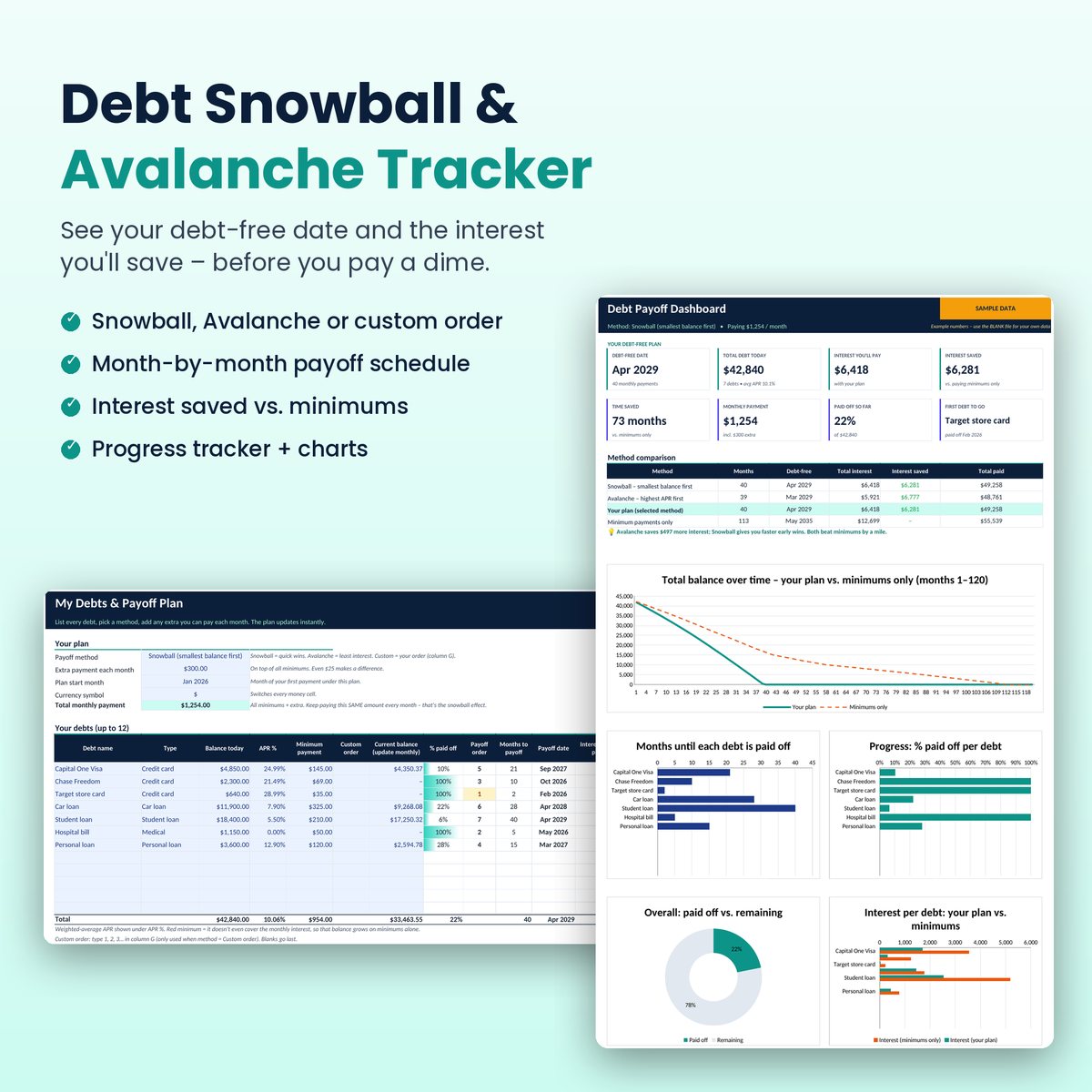
Compare snowball, avalanche, or a custom payoff order. See a month-by-month schedule, a debt-free date, and the interest you’d save versus paying minimums only.

Your financial year on one page: net worth, a 12-month budget, savings and yearly goals, KPI cards, and six charts. Excel file, no macros.
Short answers about compatibility, delivery, and the license.
Yes. It is built for Microsoft Excel 2010 or newer, including Microsoft 365, on Windows and Mac. It also opens in LibreOffice. Some formatting may look slightly different in LibreOffice. There are no macros.
Yes, the file opens in Google Sheets. One limit: the built-in currency switch stays in US dollars ($). You can still use the workbook in Sheets; just know that switching the currency symbol will not change that dollar format.
Immediately after purchase. This is an instant download — no shipping, no waiting on an email attachment beyond the receipt and download link from checkout.
A personal-use license for the purchaser. You may use the files for your own budget. Please do not resell, share, or redistribute them.
Purchases are covered by a 7-day refund policy through Kiwify, the checkout provider.
No macros. The sheets are protected without a password so accidental edits don’t break formulas. To customize a sheet, use Review → Unprotect Sheet — there is nothing to remember or unlock.
No. It is a planning tool only, not tax, legal, or financial advice. Tax percentages and quarterly due dates are there so you can set money aside; they are not a substitute for a tax professional.
A clear system for lumpy income, in a spreadsheet you already know how to open.
$12 USD, one-time
Instant download · Sample + blank · No macros
Get the spreadsheet — $127-day refund policy through Kiwify. Planning tool only — not tax, legal, or financial advice.